We are a diverse team with unique perspectives. United in our purpose, our strategy and our culture. Driven by our ambition and the power of technology to drive human progress. Unwavering in our commitment to equality, trust and advocacy for one another.
Our Small Business Technology Advisors are available and ready to help with your tech questions so you can focus on running your business. From selecting the right systems to incorporating servers or creating networks for employees and clients near and far, they can make managing your technology easy.
We create technologies that drive human progress
Our story began with a belief and a passion: that everybody should have easy access to the best technology anywhere in the world. Today, Technologies is instrumental in changing the digital landscape the world over.
We are among the world’s leading technology companies helping to transform people’s lives with extraordinary capabilities. From hybrid cloud solutions to high-performance computing to ambitious social impact and sustainability initiatives, what we do impacts everyone, everywhere.
Weighing laptop vs desktop PCs – or more specifically, which is better – is a debate as old as modern time, despite the fact that plenty of households have both. These days, however, choosing one over the other is proving to be more difficult than it used to be, with laptops now being fitted with more powerful internal components and closing that performance gap they used to have with desktop PCs.
As students prepare for the year ahead and get bombarded with back to school sales, the battle between laptops and desktop PCs has reignited once again, with both students and parents trying to decide if it’s better to buy a desktop or laptop. And, with all the different options available these days, finding the one that meets a student’s needs can be tough.
Before you start your search, it’s good to change your mindset first: neither device is better than the other, and both have their own set of advantages. Your choice really comes down to your own needs and preferences for school and beyond. To help you figure out which side of the notebook vs desktop computer divide you need to be on, we’ll guide you through the various factors to consider, as well as listing all the pros and cons, so that you can find the computer best suited for you.
Differences between laptop vs desktop
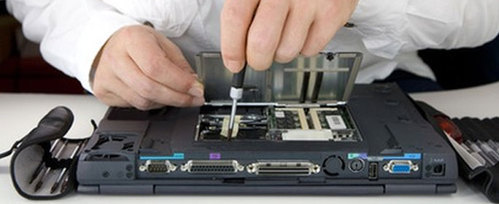
PCs are generally more customizable than laptops as well. You can put together top-of-the-line parts for every aspect of the PC when you choose a desktop computer, whereas your choices are more limited with a laptop.
Check out our pick of the best desktop PCs to see what this form factor has to offer.
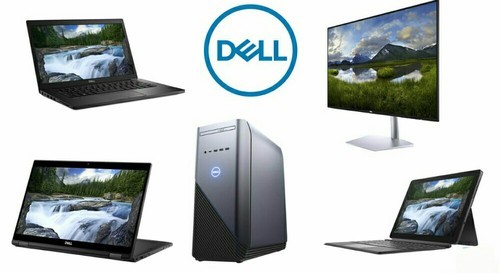
A laptop (also called a notebook) is a portable, all-in-one device that usually has USB inputs on the sides for optional peripherals. Laptops have a built-in screen, a built-in keyboard, a trackpad that acts as a mouse, and can vary in size.
Laptops are generally limited by their size but many modern batteries are big enough to provide 12 or more hours of power before needing to recharge.
The argument for a laptop
A laptop is the best option for students who are going to school outside of the home every day, and need a computer for classes.
While laptops are more delicate than desktop PCs, you can now find rugged laptops that will take a fall or two without being destroyed.
Laptops are best used for light work: reading, word processing, streaming videos, or using social media. If you or your child wants to have freedom to roam while using a computer, a fully charged laptop should last an entire day for working or learning.
We’ve put together a list of the best laptops for students, and the best laptops for kids.
The argument for a desktop PC
If you want a computer with a lot of versatility, a desktop PC is for you. Desktops can store huge files and run games with high quality graphics easily. Desktops can also be changed to fit your needs.
You can add more storage, RAM and a better graphics card to improve your computing experience. Desktop PCs also do not run on a battery, so you can use them for longer without stopping to plug in and recharge.
You cannot easily transport a desktop computer to a school, and setting it up at your student’s desk at school would be a nightmare.
Desktop PCs are great for a home-schooled or distancing-learning scenario. A desktop computer can be used during the school day for learning and word processing, and during off-hours for gaming and entertainment.
There are also all-in-one PCs, which are stylish devices where their components are built behind the screen. This means they are easier to move and set up, as you don’t need to connect as many wires, and they take up less space on the desk as well. However, they are also more expensive, and not as easy to upgrade as normal desktop PCs.